
How to Create Professional Shopify Product Photos with AI (Complete Guide 2026)
June 11, 2026
Create Product Photos & Videos for Your Brand Today
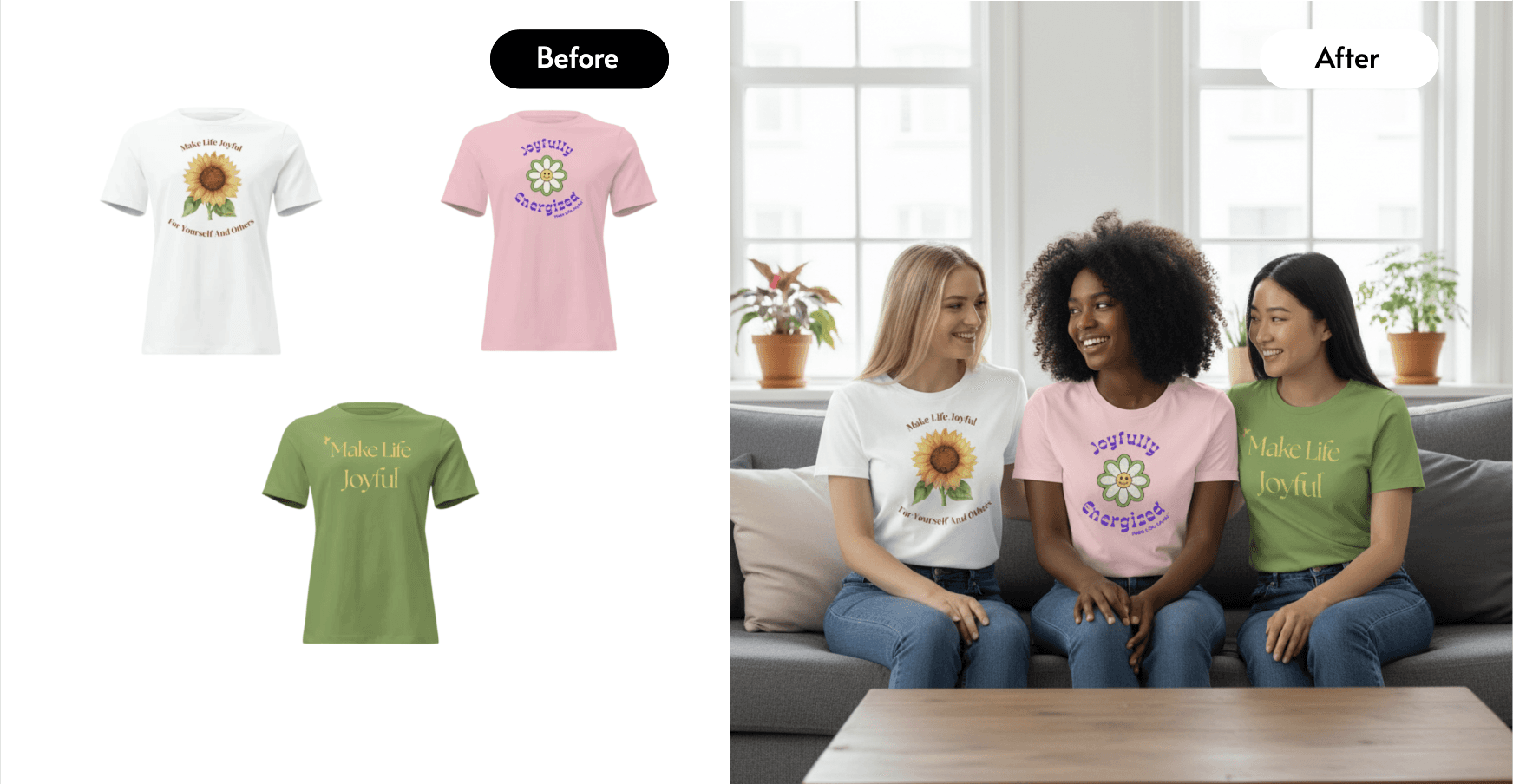
You've set up your Shopify store. Your products are ready. But your photos? Blurry phone shots on a white kitchen counter aren't going to cut it and booking a photographer feels like a big commitment before you've even made your first sale.
Here's the situation in 2026: the quality of AI product photography has reached a point where professional-grade images are genuinely accessible to any seller, at any stage. You don't need a budget. You don't need experience. You need about an hour and the right tool.
This guide covers everything Shopify sellers specifically need to know: Shopify's image requirements, what types of photos actually convert, and how to create them with AI.
Why Product Photos Make or Break a Shopify Store
Shopify's own research consistently points to product photography as one of the top factors in conversion rate. Visitors decide whether to buy within seconds of landing on a product page and that first impression is almost always visual.
The data from eCommerce studies in 2026 is consistent:
Products with multiple image types (white background + lifestyle + model) convert significantly better than single-image listings
Lifestyle images that show the product in use typically outperform plain white backgrounds in paid ads by a wide margin
High-resolution images reduce return rates — customers know exactly what they're getting
Consistent photography across your store builds brand trust
The problem for small Shopify sellers has always been that getting this range of images - white background, lifestyle, model shots, multiple angles, requires multiple shoots, multiple budgets, and significant time. AI changes all of that.
Shopify Image Requirements in 2026
Before you create images, know what Shopify recommends so your output is ready to upload:
Spec | Shopify Recommendation | Notes |
|---|---|---|
Recommended dimensions | 2048 × 2048 px minimum | Allows zoom without pixelation |
Aspect ratio | 1:1 (square) recommended | 3:4 also works; avoid mixed ratios |
File format | JPEG or PNG | PNG for transparent backgrounds |
Max file size | 20MB per image | Aim for under 500KB for page speed |
Images per product | No limit | 3–8 images recommended for conversion |
Caspa AI exports images at up to 4K resolution and handles compression automatically. Every image it produces meets Shopify's technical requirements out of the box.
The Types of Photos Every Shopify Store Needs
🎯 Main Product Shot
Clean background, product centred, no props. Used as your primary image and in collection pages. Builds trust immediately.
🏠 Lifestyle / In-Use Shot
Product shown in a real context e.g. in a kitchen, on a desk, outdoors. Helps customers visualise ownership.
👤 Model / Worn Shot
For apparel, accessories, jewellery, or anything held or carried. Shows scale, fit, and how the product looks on a person.
📋 Detail / Feature Shot
Close-up of texture, material, or a key feature. Reduces uncertainty and return rates for tactile products.
In a traditional photoshoot, getting all four of these would typically mean multiple setups, additional models, and a significant day rate. With Caspa AI, you generate all of them from a single upload of your product.
How to Create Shopify Product Photos with Caspa AI
Caspa AI is a platform built specifically for ecommerce product photography. It combines multiple AI models into one workflow and is designed for non-technical sellers, no skills required.
Sign up and open the product photography tool.
Go to caspa.ai to get started. The interface is straightforward — no learning curve.
2.Upload a photo of your product.
A clear photo on a plain background works best. Your phone camera is sufficient. Caspa automatically removes the background.
Choose your image type and scene.
Select white background for main shots, lifestyle templates, or describe a custom scene. For clothing or accessories, choose an AI model — Caspa has a diverse range of options.
Generate and refine.
Caspa produces multiple variations per prompt. Pick the best ones, regenerate anything that doesn't land, or adjust your scene description.
Download and upload to Shopify.
Images export at up to 4K. Go to your Shopify product page, upload, and you're done. Full commercial rights are included.
Pro tip: batch your product uploads
If you have multiple products, upload them all in one session. Run each product through white background, lifestyle, and model shots in sequence. One hour of focused work can generate a full image library for an entire product range.
Shopify-Specific Conversion Tips
Once you have your images, these Shopify-specific practices will help you get the most from them:
Set a consistent background colour across all your main product shots - it makes your collection pages look cohesive and professional
Use your lifestyle shots for ads - Facebook and Instagram ads with lifestyle imagery typically have significantly higher click-through rates than plain product shots
Lead with the lifestyle or model shot on mobile - it loads first and immediately communicates how the product looks in real life
Alt text every image in Shopify - describe the product and scene for both SEO and accessibility
Compress before uploading - large images slow down page load speed, which hurts conversion rates. Aim for under 500KB per image.
86% of Shopify traffic is now on mobile. A lifestyle image that shows your product in context performs better on a small screen than a flat white background shot. Caspa's lifestyle and model shots are optimised for this — they look great at mobile dimensions.
For Dropshippers: How to Use AI to Stand Out
If you're dropshipping, you're likely using the same supplier photos as every other seller in your niche. AI product photography lets you create unique images that your competitors don't have.
Take your supplier's product photo, upload it to Caspa, and generate entirely new lifestyle and model shots. Your listing looks different. Your brand looks original. And your conversion rate reflects it.
This is a significant competitive advantage that very few dropshippers are using yet.
Caspa AI Pricing for Shopify Sellers
Plan | Monthly Price | Annual Price | Credits | Best For |
|---|---|---|---|---|
Starter | $59/mo | $39/mo | 500 images/month | New stores, 1–5 products |
Growth | $99/mo | $66/mo | 1,000 images or 8 min video | Growing stores, ongoing content |
Scale | $249/mo | $166/mo | 2,500 images or 20 min video | Large catalogues, agencies |
All plans include full commercial rights and a 30-day money-back guarantee. Hands-on support is included — if you're not getting the results you want, Caspa's team will create images for you directly.
"Super happy with CaspaAI. I used it for a client project with a high-end jewelry brand, and the results were outstanding."
— Simone, Mind13
Create Your Shopify Product Photos Today
No photographer. No studio. No experience needed. Professional images for your Shopify store in minutes.
30-day money-back guarantee · Commercial rights included · Hands-on support
Frequently Asked Questions
Can I use AI-generated images on my Shopify store?
Yes, completely. Shopify has no restrictions on AI-generated product images. As long as the images meet Shopify's technical requirements (resolution, format, aspect ratio), you can use them anywhere on your store — product pages, collection pages, homepage, ads.
Do I need a good camera to start?
No. A modern smartphone camera is more than sufficient for your source image. Caspa works with a clear product photo — it doesn't need to be professionally lit or composed. The AI handles the professional output.
What's the best image type for Shopify conversion?
It depends on your product, but generally: use a clean white/neutral background shot as your main image (it looks professional and consistent in your collection grid), then follow with a lifestyle or model shot as the second image. The lifestyle shot is what convinces people to buy — it shows them how the product fits into their life.
How many images should I have per Shopify product?
Shopify recommends 3–8 images per product. A good starting set is: 1 main white background shot, 2–3 lifestyle or scene shots, 1 model or in-use shot (if applicable), and 1 detail shot showing texture or a key feature. Caspa can generate all of these in a single session.
I'm dropshipping — can I use Caspa with supplier product images?
Yes. Take a clear screenshot or download of the supplier's product image, upload it to Caspa, and generate your own lifestyle and model shots around it. This gives you unique imagery that differentiates your listing from other sellers using the same product.
Does Caspa AI work for apparel and clothing?
Yes - and this is one of its strongest use cases. Caspa's AI model feature lets you dress AI-generated human models in your clothing products. You get diverse model representation, multiple poses, and lifestyle shots without booking a single model.
The Bottom Line for Shopify Sellers
In 2026, there's no reason to launch a Shopify store with poor product photography - and no reason to spend thousands on a studio photoshoot before you've validated your products.
AI product photography tools like Caspa give you professional images across every type you need (main shots, lifestyle, models, detail) at a cost that makes sense for small businesses. The 30-day money-back guarantee means there's no risk in trying it.
Start with the Starter plan, create a full image set for your first product, and see the difference it makes to your store.
Better Shopify Photos, Starting Today
500 images per month from $39. Create the full image set your Shopify store needs - in one session.
30-day money-back guarantee · Commercial rights included · Hands-on support
Follow Ecommerce Education for more free guides, tools, and resources.
Want to support our mission? Sign up for updates or join one of our volunteer mentorship programs helping new founders launch their stores.
Try Creating Your Own Product Photos & Videos
Ecommerce Education
© 2024